
How to Start a Faceless YouTube Channel in Pakistan and Earn in USD: Complete Guide


You do not need an expensive camera, a studio, or a large social media following to start creating YouTube videos. With a computer or smartphone, a clear content strategy, and the right editing skills, you can build a channel without showing your face.
Learning how to start a faceless YouTube channel in Pakistan can be a useful first step for students, aspiring content creators, and digital marketers who want to develop an online audience. You can create educational videos, software tutorials, animated explainers, original storytelling videos, and other content using screen recordings, narration, graphics, and licensed visuals.
However, earning money from YouTube takes time. You need to attract viewers, publish useful original videos, follow YouTube’s monetization policies, and qualify for the relevant earning features.
This guide explains how to choose a niche, create your first videos, use AI tools responsibly, qualify for monetization, and explore legitimate ways to earn in US dollars.
What Is a Faceless YouTube Channel?
A faceless YouTube channel publishes videos without requiring the creator to appear on camera. Instead, videos may use voiceovers, screen recordings, animation, demonstrations, illustrations, or footage that the creator has permission to use.
For example, a technology channel could explain how to solve common computer problems by recording the computer screen and narrating each step. A design channel could demonstrate how to create a logo while showing the software interface.
Faceless content can be produced with relatively simple equipment, but it still requires research, planning, editing, and an understanding of what viewers want to watch.
Important: Faceless does not mean effort-free. Channels that publish repetitive, copied, or low-value automated videos may struggle to build an audience and qualify for monetization.
Best Faceless YouTube Channel Ideas for Beginners in Pakistan
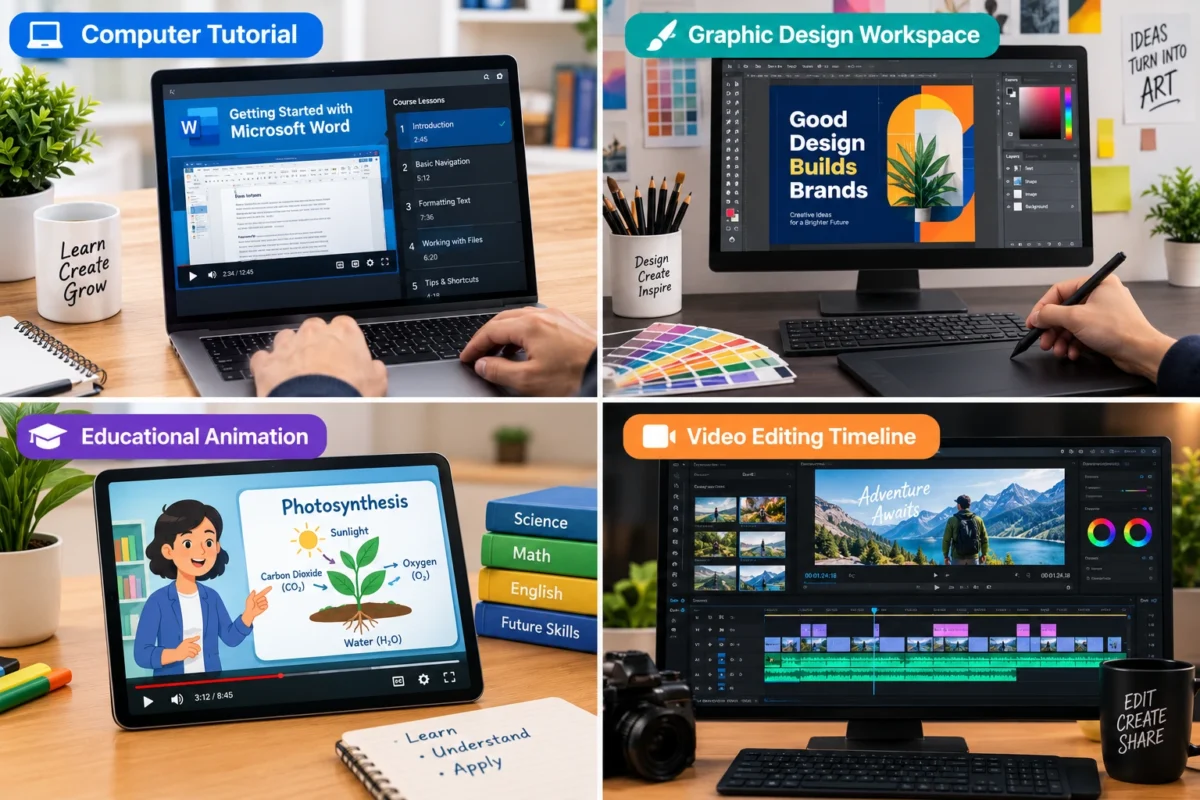
Choosing the right niche is one of the most important decisions you will make. Focus on a subject you can research consistently and explain clearly.
1. Technology Tutorials
Technology tutorials can answer practical questions about computers, smartphones, applications, and common software problems.
Possible video topics include:
- How to fix common Windows errors
- How to use useful computer shortcuts
- How to edit videos using beginner-friendly software
- How to use productivity applications
- How to solve common website and browser problems
You can create these videos through screen recordings and voiceovers without appearing on camera.
2. AI Tools and Digital Skills
AI tools and digital skills offer opportunities to create educational content for beginners.
You could explain how to write effective prompts, edit images, prepare presentations, or use AI responsibly for research and brainstorming.
Demonstrate the actual process and explain its limitations rather than simply reading generic AI-generated text over stock footage.
3. Educational Explainer Videos
Educational channels can cover science, geography, history, technology, language learning, and other subjects.
Use original scripts, diagrams, examples, and carefully researched explanations. For historical or scientific topics, verify facts through trustworthy sources before recording the narration.
4. Graphic Design and Editing Tutorials
If you already have design skills, you can demonstrate logo creation, thumbnail design, image editing, video editing, and other creative workflows.
This niche can also support freelance opportunities because viewers may need help with projects after learning from your tutorials.
5. Original Storytelling and Documentaries
You can create narrated stories, biographies, historical explainers, and researched documentaries using original scripts and suitable visuals.
Make sure your videos provide meaningful commentary and a distinctive narrative. Obtain the necessary rights to music, photographs, clips, and other third-party material.
Beginner recommendation: Choose one niche that matches your existing skills. A focused technology or design channel may be easier to manage than a channel that mixes unrelated subjects.
How to Start a Faceless YouTube Channel in Pakistan
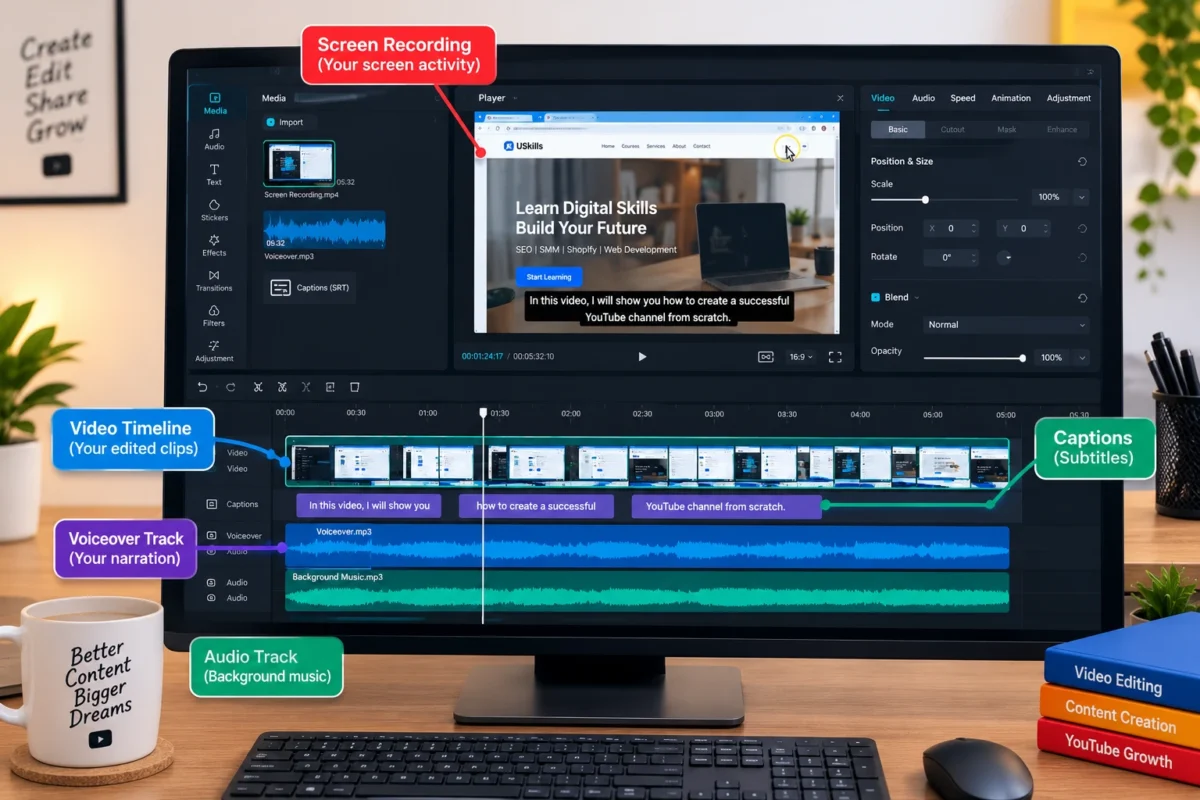
Follow these steps to establish a practical content creation workflow.
Step 1: Choose Your Niche and Audience
Start by identifying the people you want to help and the problems your videos will solve.
For example, a channel about computer troubleshooting could target beginners who need clear instructions for Windows, browsers, and everyday software.
Before committing to a niche, consider:
- Whether people are searching for the topics
- Whether you can produce useful videos consistently
- Whether you can verify information accurately
- Whether suitable visuals can be created or licensed
- Whether the subject has potential for future videos
Research existing channels to understand audience questions and content gaps. Use their videos for market research, not as material to copy.
Step 2: Create Your YouTube Channel
You can set up your channel using a Google Account and YouTube.
- Sign in to YouTube.
- Create a channel with a relevant name.
- Add a clear profile image and channel banner.
- Write a description explaining what viewers can expect.
- Configure your basic channel settings.
- Enable two-step verification and review the available account security features.
Choose a name that is easy to remember and suitable for your niche. Avoid names that imply an affiliation with another brand when no such affiliation exists.
You can create the initial branding using graphic design tools without hiring a professional designer.
Step 3: Research Video Topics
Do not select topics randomly. Look for questions your intended audience genuinely wants answered.
You can use YouTube search suggestions, comments on relevant videos, Google Trends, and keyword research tools to identify potential subjects.
For example, a computer tutorial channel might develop a series covering browser errors, Windows settings, software installation, and basic troubleshooting.
Create a simple content calendar containing the topic, working title, target viewer, key points, and planned publishing date.
Step 4: Write an Original Script
A good script keeps the video organized and helps viewers understand the subject.
A simple structure is:
- Hook: Explain the problem or benefit.
- Introduction: Tell viewers what they will learn.
- Main explanation: Present the steps or information clearly.
- Demonstration: Show the process or provide a useful example.
- Conclusion: Summarize the result and suggest a relevant next step.
AI writing tools can assist with outlines and draft scripts. However, verify facts, remove repetitive language, and rewrite the material in a natural voice.
Avoid copying articles or reading other creators’ scripts with only minor changes.
Step 5: Create Voiceovers and Visuals
You do not need to appear on camera to make a clear, engaging video.
Depending on your topic, you can use:
- Your own narration
- Screen recordings
- Original graphics and animations
- Licensed stock footage
- Diagrams and demonstrations
- AI-generated visuals that comply with applicable policies
A clear human voiceover can be an excellent starting point. Synthetic narration can also be useful, but the script and presentation should provide genuine value.
If you use third-party footage or music, check the licensing conditions. Giving credit alone does not necessarily grant permission to use copyrighted material.
Step 6: Edit the Video
Video editing helps viewers follow your explanation without unnecessary distractions.
Begin with basic editing skills:
- Remove long pauses and irrelevant sections.
- Add readable captions when helpful.
- Use visuals that directly support the narration.
- Keep audio levels consistent.
- Add background music only when appropriate and properly licensed.
- Check the final video for errors before uploading.
Free or paid editing software can be suitable depending on your computer and experience. You can start with simple tools rather than purchasing expensive equipment.
Step 7: Create an Effective Thumbnail and Title
Your title and thumbnail should accurately communicate the value of the video.
For example, a tutorial about a browser problem could use a title that identifies the error and promises a clear troubleshooting guide.
Create thumbnails with readable text, a clear focal point, and visuals related to the topic. Avoid misleading claims, fake results, or imagery that does not match the video.
A strong thumbnail can help attract attention, but the video itself must deliver what the title promises.
Step 8: Publish and Improve
After uploading, add a useful description, relevant chapters where appropriate, and a suitable playlist.
Use YouTube Analytics to understand how people discover and watch your videos. Review metrics such as click-through rate, audience retention, and returning viewers in context rather than treating any single number as a guarantee of success.
If viewers leave early, examine whether the introduction is too long or the content fails to answer the question quickly.
Use the feedback to improve your next video.
Best Tools for Creating Faceless YouTube Videos
You can build a basic workflow with a small collection of tools.
Tool | Purpose |
ChatGPT | Brainstorming, outlines, and script drafts |
Canva | Thumbnails, graphics, and channel branding |
OBS Studio | Screen recording |
CapCut | Video editing and captions |
Audacity | Audio recording and editing |
YouTube Studio | Upload management and channel analytics |
Features, pricing, and availability may vary. Review each provider’s current terms and privacy policies before using its services.
You do not need to purchase every tool. Begin with the tools that support your specific video format and upgrade only when you identify a genuine need.
How to Monetize a Faceless YouTube Channel in Pakistan
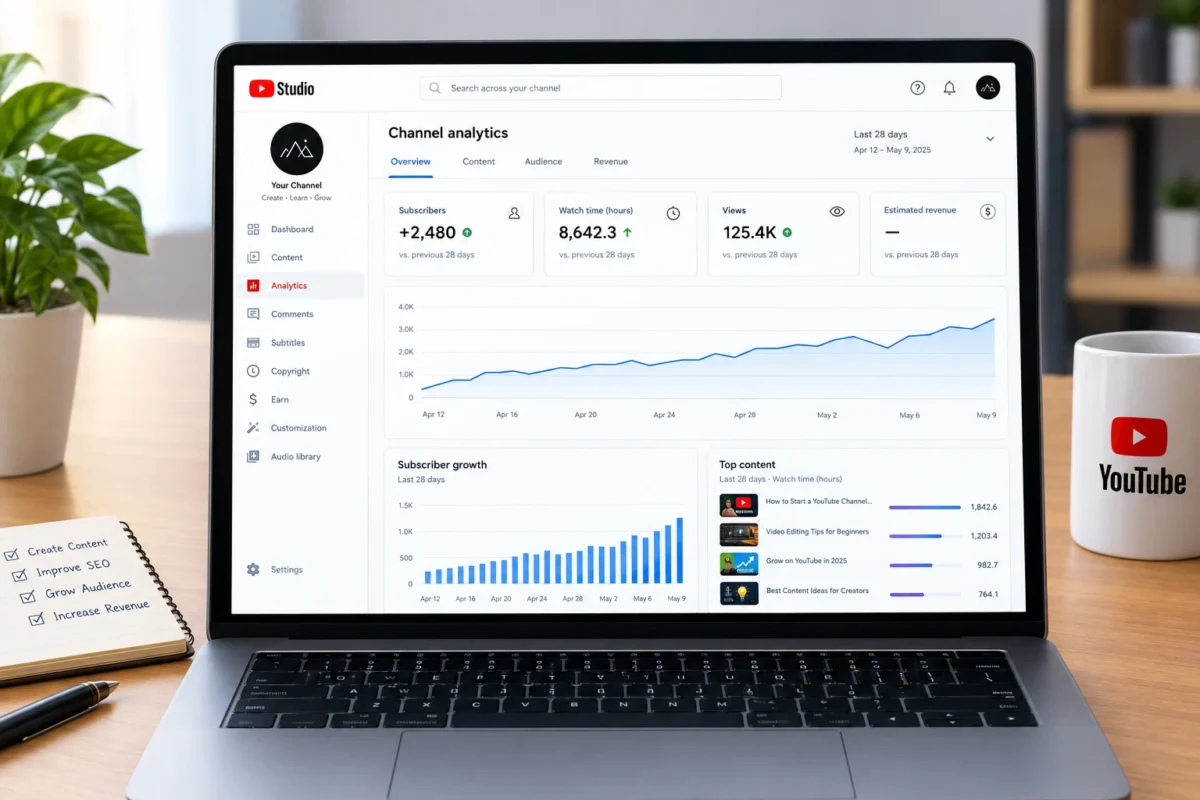
A faceless channel can qualify for monetization if it meets YouTube’s requirements and publishes content that complies with its policies. Showing your face is not a general requirement for YouTube Partner Program eligibility.
1. YouTube Partner Program
Pakistan is included in YouTube’s list of countries where the YouTube Partner Program is available. However, eligibility does not mean that every channel will be accepted.
According to YouTube’s currently published standard eligibility requirements, a channel generally needs:
- 1,000 subscribers, and
- Either 4,000 valid public watch hours from long-form videos in the preceding 12 months, or 10 million valid public Shorts views in the preceding 90 days.
Meeting the threshold does not guarantee approval. YouTube reviews the channel for policy compliance, and additional account requirements apply. Watch time from Shorts viewed in the Shorts Feed does not count toward the 4,000-hour long-form requirement. <Cite refs={[“turn693200search0″,”turn693200search3″,”turn693200search9”]}/>
YouTube has also announced changes to its monetization thresholds that are scheduled to take effect on February 1, 2027. Check the official eligibility page and the Earn section in YouTube Studio before planning around a particular threshold. <Cite refs={[“turn693200search5″,”turn693200news18”]}/>
Official guide:https://support.google.com/youtube/answer/72851
2. Earn Advertising Revenue
After your channel is approved for the relevant YouTube Partner Program features, you may earn revenue from advertisements shown on eligible content.
Your earnings depend on factors such as viewer location, subject matter, advertiser demand, video format, and monetized playback. Views alone do not determine your income.
A channel attracting viewers from different countries may experience different advertising rates. There is no guaranteed amount per thousand views, so be cautious about income calculators and videos promising fixed earnings.
3. Affiliate Marketing
Affiliate marketing allows you to earn a commission when someone purchases an eligible product through your tracked referral link.
For example, a technology channel might review software or demonstrate equipment relevant to its audience. A design channel might discuss creative tools that viewers can evaluate for their own projects.
Always disclose affiliate relationships clearly and follow the applicable platform rules. Recommend products honestly rather than promoting unsuitable products simply because they offer commissions.
4. Sponsorships and Freelance Opportunities
As your channel develops, businesses may be interested in sponsoring relevant videos. You can also use your videos as a portfolio to demonstrate skills in scriptwriting, graphic design, video editing, and content strategy.
These opportunities depend on the quality of your work, audience fit, and business relationships. They are not guaranteed simply because a channel has reached a particular subscriber count.
How Can You Receive Earnings in USD in Pakistan?
YouTube monetization payments are managed through AdSense for YouTube and depend on the payment options and account requirements applicable to your location.
To prepare for monetization:
- Review the official AdSense for YouTube requirements.
- Set up or link the required account through YouTube Studio.
- Provide accurate personal and payment information.
- Complete any required identity and address verification.
- Review the available payment methods and applicable tax requirements.
Do not use false account details or someone else’s identity to bypass verification. If you are under 18, a parent or legal guardian who meets Google’s requirements may need to handle the AdSense payment account.
For official payment and eligibility information, use YouTube’s help documentation: https://support.google.com/youtube/answer/72857
Receiving money in USD does not mean your bank will necessarily credit your account in dollars. The currency and conversion process depend on the payment arrangement and your bank.
Common Mistakes to Avoid
Copying Other Creators: Downloading videos and reposting them with minimal changes can create copyright problems and prevent monetization. Create original scripts, meaningful commentary, and a distinctive presentation.
Relying Entirely on AI Automation: Automatically generating and uploading large numbers of similar videos is not a dependable shortcut. YouTube’s monetization policies address repetitive, mass-produced, and reused content. Automated tools should support an original creative process rather than replace it. <Cite refs={[“turn693200search4″,”turn693200search6”]}/>
Ignoring Copyright: Use your own footage, appropriately licensed assets, or material for which you have permission. Music and video clips may have separate licensing requirements.
Expecting Immediate Income: A new channel may take time to attract viewers and meet monetization requirements. Avoid spending money you cannot afford to lose on courses, equipment, or services promising guaranteed results.
Uploading Without Reviewing Analytics: Publishing regularly is useful, but reviewing viewer feedback and improving the content is equally important.
Key Takeaways
- Choose a focused niche that matches your skills and audience demand.
- Start with affordable recording, editing, and design tools.
- Create original scripts and visuals that provide real value.
- Follow YouTube’s current monetization and copyright policies.
- Explore advertising, affiliate marketing, and relevant freelance opportunities.
- Treat USD earnings as a possible outcome, not a guaranteed result.
Frequently Asked Questions
Yes. You can create a channel in Pakistan without appearing on camera. You can use narration, screen recordings, animation, original graphics, and appropriately licensed visuals. Your ability to monetize depends on meeting the relevant YouTube Partner Program requirements and complying with its policies.
There is no fixed earning amount. Revenue depends on eligible views, audience location, content category, advertising demand, and other monetization factors. A new channel may earn nothing for some time. Focus first on producing useful videos and building an audience instead of relying on promised income figures.
AI-assisted videos can be eligible for monetization when they comply with YouTube’s policies and provide original, meaningful value. Repetitive, mass-produced, copied, or minimally transformed content may be ineligible. Use AI to support research and production, but apply human judgment and ensure that you have the necessary rights to your assets.
The best niche is one you can explain accurately and produce consistently. Technology tutorials, digital skills, graphic design, educational explainers, and original storytelling are possible starting points. Research audience needs and competition before choosing, and focus on delivering something useful rather than selecting a niche based only on potential earnings.
No. You can begin with a smartphone or computer, basic recording software, and an editing tool. Screen tutorials may require little more than a clear recording and understandable narration. Upgrade your equipment when it solves a specific problem, such as poor audio quality or limitations in your editing workflow.
Conclusion
Learning how to start a faceless YouTube channel in Pakistan can help you develop valuable skills in research, storytelling, video editing, and digital marketing. It also provides a way to create content without appearing on camera.
The most practical starting point is to choose one niche, publish useful original videos, study audience feedback, and improve your workflow over time. Once your channel qualifies, advertising revenue and other legitimate monetization methods may create opportunities to earn in USD.
Start with one video that answers a real question, make it as helpful as possible, and use what you learn to create the next one. For additional learning resources, explore uskills.pk and continue building your digital content creation skills.